

The Best Law Firm Technology for Improving Legal Workflows
Compare the law firm technology that improves legal workflows, from intake and practice management to AI, transcription, and cybersecurity tools.



Keeping up with the latest legal tech has long been part of a modern lawyer's duty. The Model Rules of Professional Conduct, Rule 1.1, was enacted back in 2012 and states that “a lawyer should keep abreast of changes in the law and its practice, including the benefits and risks associated with relevant technology.” (Note that each state adopts its own version of these rules)
But what counts as relevant technology has changed a lot since then. A typical criminal case now arrives with hundreds of hours of body cam, dash cam, and jail call recordings (not to mention documents, cell data, and photos). In addition, clients expect faster answers, and AI has moved from novelty to a budget line item.
That’s why so many firms are taking a fresh look at their tools, a shift we’ve tracked in our roundup of legal technology trends. Below, we break down seven categories of law firm technology worth evaluating, what to look for in each, and where legal professionals should focus first.
What Technology Do Lawyers Use?
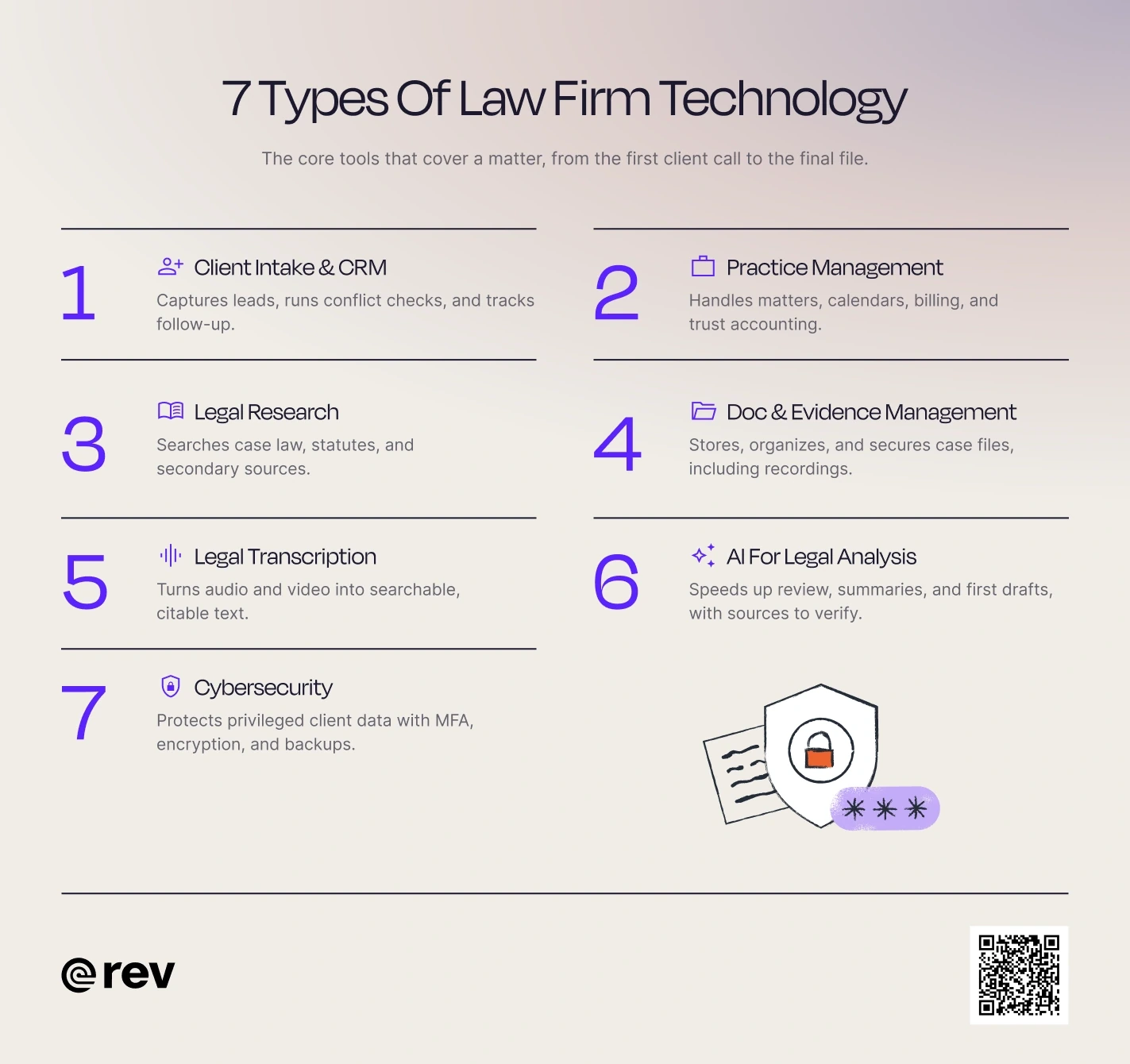
Most lawyers use a mix of tools that cover the full life of a matter, from bringing clients in to protecting their data. The core categories of legal technology software include:
1. Client Intake and CRM Software
Intake is a firm’s first impression, and often its most manual process. Intake and CRM (client relationship management) tools capture inquiries from web forms, calls, and chat, run conflict checks, send engagement letters for e-signature, and track every lead until it becomes a client or a closed file. Lawmatics and Clio Grow are common examples.
What to look for: Customizable forms, automated follow-ups, conflict checking, and easy integration with your practice management system to avoid duplicate work.
2. Practice Management Software
Practice management software is the operating system of a firm. It holds matters, contacts, calendars and deadlines, tasks, time entries, billing, and trust accounting in one place. Clio Manage, MyCase, Smokeball and PracticePanther are well-known tech for law firms in this category.
“We use cloud-based case management software that integrates directly with eDiscovery tools, allowing us to share discovery files, track deadlines, and maintain communication logs in real-time,” explains Scott Monroe, Founder at Monroe Law.
"This has been critical in building a strong defense, especially when handling large volumes of digital evidence.”
What to look for: Trust accounting controls, court-rule calendaring, and integrations. Your practice management platform tends to become the hub everything else connects to, so check that your transcription, document, and AI tools can sync with it instead of living in separate silos.
3. Legal Research Tools
Legal research platforms give lawyers searchable access to case law, statutes, regulations, and secondary sources, along with citators that flag whether a case is still good law. Westlaw and Lexis are the long-standing leaders, and both now include generative AI research assistants.
What to look for: Evaluate coverage for your jurisdictions and practice areas, citation quality, and how AI features show their sources.
4. Document and Evidence Management Tools
Document management systems store pleadings, correspondence, and discovery with version control, full-text search, permissions, and audit trails. Rev, NetDocuments, and iManage are common at larger firms, while many smaller firms rely on the document features inside their practice management platform.
What to look for: Centralized digital storage, Optical Character Recognition (OCR), version control, advanced search, secure access, templates, and document automation.
5. Transcription Tools
Transcription tools turn depositions, client interviews, hearings, and recorded evidence into text you can search, quote, and cite. Rev has spent more than 15 years on hard audio, from jail calls to crowded hearings to interviews recorded on a phone.
AI transcription turns interviews, depositions, and recorded evidence into searchable transcripts in minutes, and any file can be upgraded to human-verified transcription with 99%+ accuracy when precision matters.
“Rev is great when I need human transcription at high levels of accuracy, especially when dealing with technical language or multiple speakers,” said Jeffrey Reisman, lawyer at Jeffrey Reisman.
“I like services that offer searchable transcripts with time stamps, which makes it much easier to cross-check sections when I'm building a case outline or gearing up for trial.”
What to look for: Accuracy on difficult audio, speaker identification, timestamps that link back to the recording, security controls, and human-verified options for transcripts that need to be exact.
6. AI Analysis Tools
AI tools for legal analysis can summarize long records, flag issues in documents, compare statements, and produce first drafts of memos and motions.
Thomson Reuters’ CoCounsel, Harvey, and Lexis+ AI focus on research and document work, while evidence platforms like Rev apply AI to recordings, transcripts, and case files. Our guide to AI tools for lawyers compares the options in more detail.
What to look for: Accurate and automatically cited sources, closed-loop systems, no third-party data training.
7. Cybersecurity Tools
Law firms hold exactly the kind of data attackers want. In the ABA’s 2023 Legal Technology Survey, 29% of respondents said their firm had experienced a security breach, and only 34% reported having an incident response plan.
Vendors that touch client data should be able to show independent certifications such as SOC 2 Type II, and criminal justice work may require CJIS compliance. For a deeper checklist, see our guide to cybersecurity for law firms.
What to look for: Multi-factor authentication, password managers, encrypted email and file sharing, endpoint protection, and secure backups.
Why Is Technology Important for Law Firms?
Technology is important for law firms because it lets lawyers spend more time on judgment and advocacy and less on manual tasks, while meeting their duty of technological competence. The right legal tech products help firms:
- Work more thoroughly: Legal tech can handle many of the tedious tasks for lawyers and their assistants, accelerating the flow of work throughout the practice.
- Respond faster: Shorten turnaround on intake, discovery review, and drafting without cutting corners.
- Reduce errors: Deadline calculators, citators, and source citations catch mistakes earlier.
- Protect client data: Security controls support confidentiality obligations under Model Rule 1.6.
- Improve the client experience: Portals, e-signature, and online payments make the firm easier to work with and keep clients engaged.
- Accelerate billing and payment processing: Tools for accounting and legal automation can handle time and expense tracking and speed up payments.
- Bolster case management: Whether through access to deeper databases for research or more searchable documentation, legal technology can enhance every aspect of case management.
What To Look For In Law Firm Technology
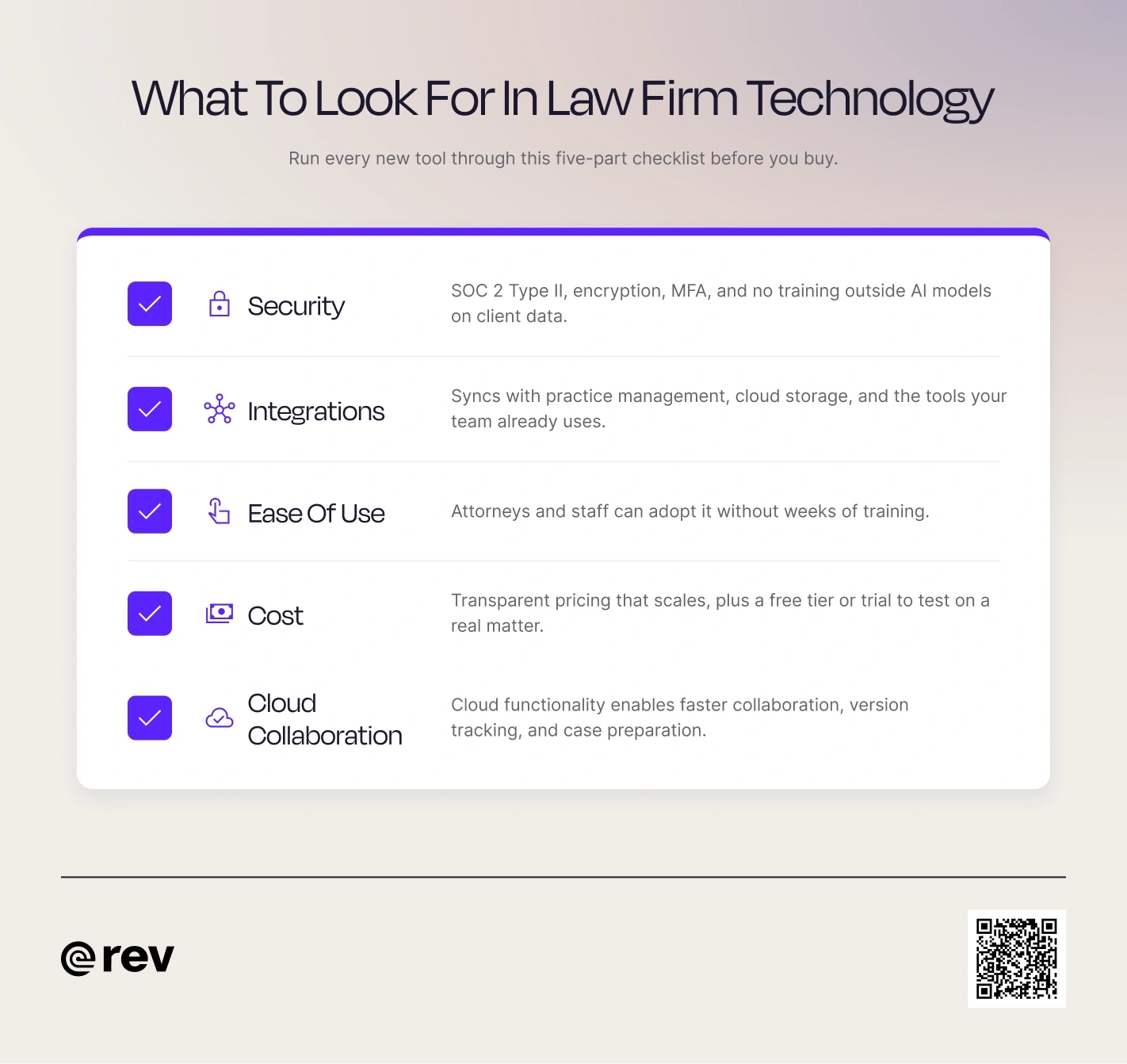
Key aspects of legal industry software vary widely depending on the type of tool you’re using. That said, here are a few overarching features to look for in any solution:
- Security: SOC 2 Type II, encryption, multi-factor authentication, access management, and a clear policy that client data isn’t used to train outside AI models.
- Integrations: The tech you choose should sync with your practice management system, cloud storage, and the tools your team already uses.
- Ease of use: Lawyers aren’t software developers, so legal tech shouldn’t be designed as if they are. The user interface and core functionality should be as low-tech and accessible as possible.
- Cost: Transparent pricing that scales with seats and usage, plus a free tier or trial so you can test it on a real matter.
- Cloud-based collaboration: Attorneys and paralegals are no longer bound to work from a single location. Cloud functionality enables faster remote collaboration, version tracking, and case preparation regardless of whether team members are in the same room.
It’s important to keep in mind that, once you pick the right tools for your team, the work isn’t over. Next comes training your team to use the tool correctly, which can arguably be a much harder task. Michael Stresing, CTO at Remedy Legal, explained the importance of this:
“Beyond the obvious risks like cybersecurity, there is a real implementation risk firms need to be mindful of. Any system which promises X% efficiency gain is always promising this on the basis of full buy-in from the relevant users of the system,” said Streing.
“The gains can be diminished significantly when people are resistant to using new systems, or improperly trained on how to use them effectively. Too much focus is often spent on the selection of a new system or tool, and not enough on the integration of it within an organization.”
How Rev Helps Law Firms Work Faster With Recorded Evidence
Rev is an investigative platform built around one record for the entire case. Firms can add in audio, video, transcripts, scanned documents, and even photos, and Rev turns it all into one searchable dashboard. Attorneys can ask questions across the case file and get answers that cite back to the exact timestamp or page.
From there, the work happens inside Rev. Prebuilt templates create case chronologies, evidence overviews, and file summaries, and the Document Editor turns findings into an editable first draft of a memo or motion with citations carried through. Pro and Unlimited plans connect to Clio Manage through our Clio integration, so transcripts and findings stay with the matter.
Build a Legal Tech Stack That Cuts Review Time
The best law firm technology works as a connected stack: intake feeds practice management, research and documents stay organized, and recorded evidence becomes as searchable as everything else.
If your team still spends hours scrubbing through recordings, start there. Rev gives your firm one searchable, citable record for every case, so you can review more thoroughly and still be the one who decides.