
Subscribe To Rev

Get accurate transcripts, apply powerful AI prompts to your files, easily edit, and collaborate with your team — all in Rev’s comprehensive platform.

A welcome message to Sarah on a computer screen.
Streamline Your Document Workflows with Smarter File Management

File Management

Google Drive & Shared Drive Integration

Seamlessly connect your Google Drive account (including shared drives) to Rev. Upload files directly from your Google workspace in the background while you continue working, then export processed files back to specific Drive folders with full folder structure preservation.

Screenshot showing Google Drive and Shared Drive integration panel with file list and sync status icons

Zip File Bulk Upload

Effortlessly import and export massive document collections with bulk ZIP uploads. Rev quickly highlights supported vs. not supported files so you only import what you can use—no guesswork needed.

Person dragging multiple files into a web app’s upload area for bulk ZIP file import

Color Tagging

Organize files visually with intelligent color tagging. Tag multiple files at once or click individual files to assign colors, then filter your entire folder view by tags to focus on what matters most to your project.

Horizontal row of five colored circular tags (red, orange, yellow, green, blue) with short labels for category filtering

 Bulk File Download

Download entire folder structures with a single click. Whether you need local ZIP files or want to export directly to your Google Drive, Rev preserves all subfolder organization and file relationships automatically.

Try Export
For All Plans
Person using laptop with stacked file icons and downward arrow, representing bulk file download feature
Screenshot showing Google Drive and Shared Drive integration panel with file list and sync status icons
Person dragging multiple files into a web app’s upload area for bulk ZIP file import
Horizontal row of five colored circular tags (red, orange, yellow, green, blue) with short labels for category filtering
Person using laptop with stacked file icons and downward arrow, representing bulk file download feature
Industry leaders in fast, accurate speech to text

Transcription

AI Transcription

Fast, accurate, and reliable transcription whenever you need it. Rev automatically transcribes your recordings, uploads, and meetings with AI at a rate of just $0.008/min (with Basic subscription). 

For Basic, Pro, and Enterprise Plans
Two hands holding a smartphone showing a transcribed conversation with highlighted timestamps and speaker labels

Human Transcription

For when you need absolute precision, easily upgrade to 99%+ accurate human-verified transcripts. Rev Basic, Pro, and Enterprise subscribers get an up to 30% discount on human services.

For All Plans
Illustration of a person at laptop transcribing audio with waveform and text editor visible on screen

AI and Human Captions

Maximize engagement with captions. Choose AI captions in over 37 languages or FCC and ADA-compliant human-verified captions in English and Spanish.

For All Plans
Split-screen showing a smiling person on left and AI-generated caption suggestions on right for accessible image descriptions
Two hands holding a smartphone showing a transcribed conversation with highlighted timestamps and speaker labels
Illustration of a person at laptop transcribing audio with waveform and text editor visible on screen
Split-screen showing a smiling person on left and AI-generated caption suggestions on right for accessible image descriptions
From interviews to intake calls, capture audio however you’re working

Multi-Channel Capture

Upload Audio, Video, and Text Files

Upload audio and video files from anywhere—we support all major formats—and let Rev transcribe and analyze them for you. 

Learn How To Upload Files
For Basic, Pro, and Enterprise Plans
Three stacked file icons labeled audio, video, and text with an upload arrow indicating file import options

AI Notetaker for Meetings

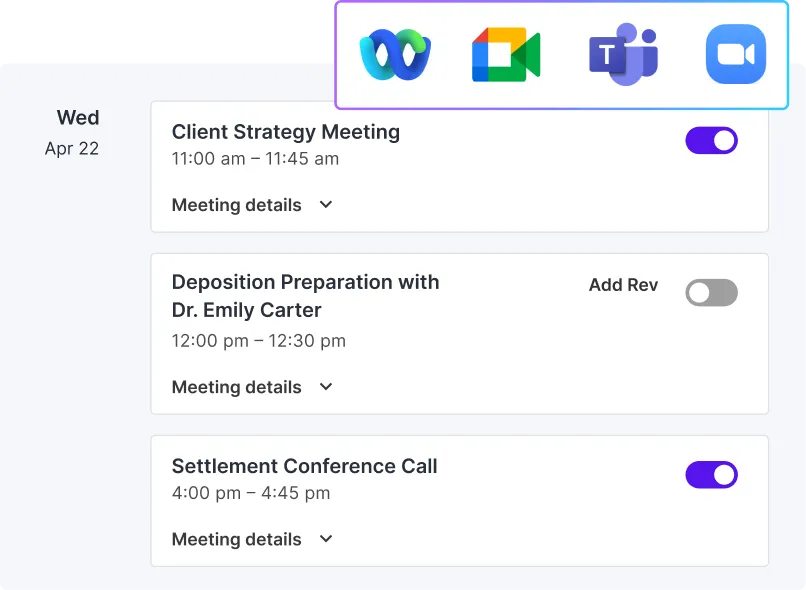
Get complete and accurate notes for your video calls with clients, witness interviews, and team meetings by adding our AI Notetaker, which records and transcribes everything that's said.

Integrate Rev Into Your Meetings
For Basic, Pro, and Enterprise Plans
Person using laptop at desk while meeting transcript and AI highlights appear on-screen, showing AI meeting notes feature

Mobile App

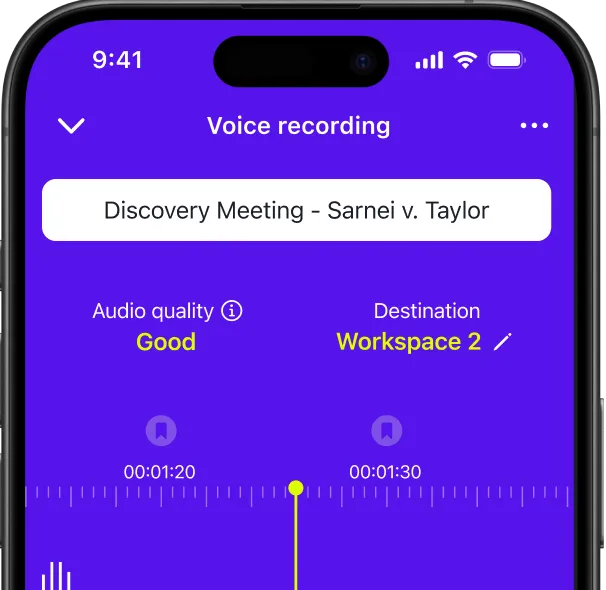
Record and transcribe from anywhere with accuracy that meets legal standards. See live transcripts, bookmark key moments in real time, and always know you're recording with lock screen view.

Three stacked smartphone screens showing a meal-tracking app: daily calories, food entries, and progress chart

Desktop Recorder

Don't skip recording just because you're not on a video call. With desktop recording, you can record and see a live transcript using the web app, no video platform required. 

For All Plans
Screenshot of a desktop screen recorder interface showing record, stop, and microphone controls with timeline preview
Three stacked file icons labeled audio, video, and text with an upload arrow indicating file import options
Person using laptop at desk while meeting transcript and AI highlights appear on-screen, showing AI meeting notes feature
Three stacked smartphone screens showing a meal-tracking app: daily calories, food entries, and progress chart
Screenshot of a desktop screen recorder interface showing record, stop, and microphone controls with timeline preview
 Pull the insights you need with our new AI-powered tools

AI Tools

Multi-File Insights Beta

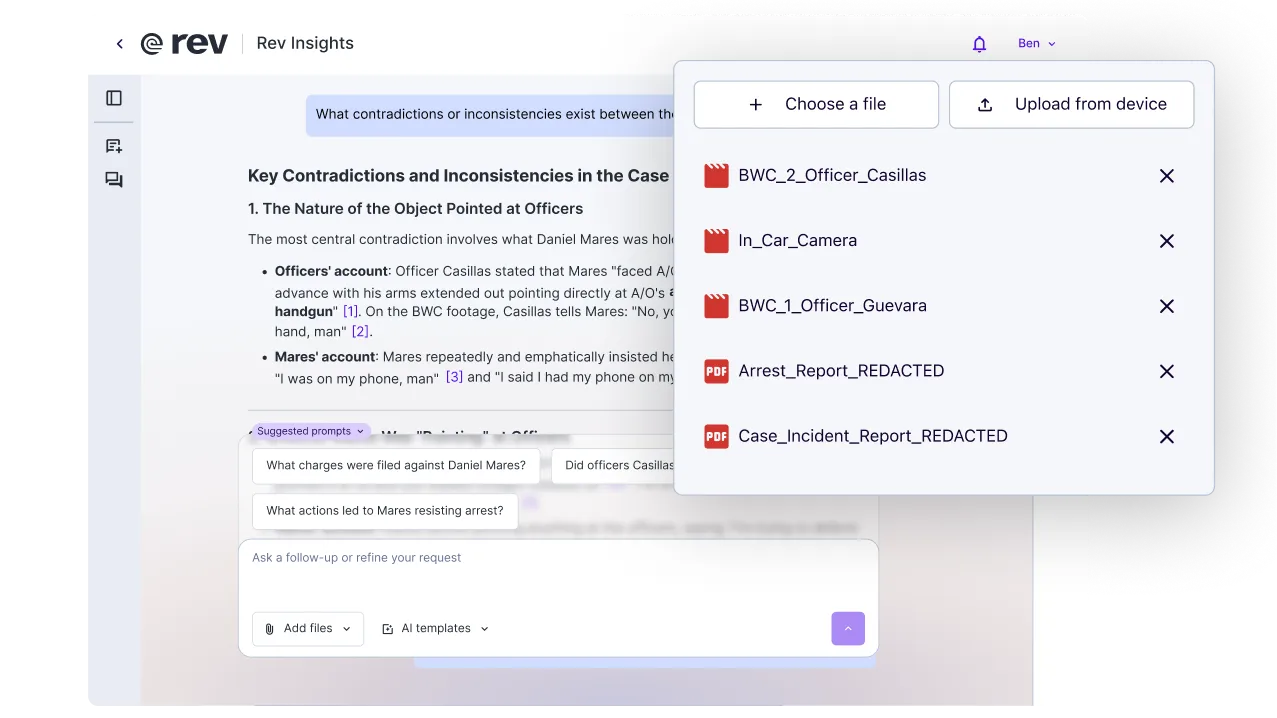
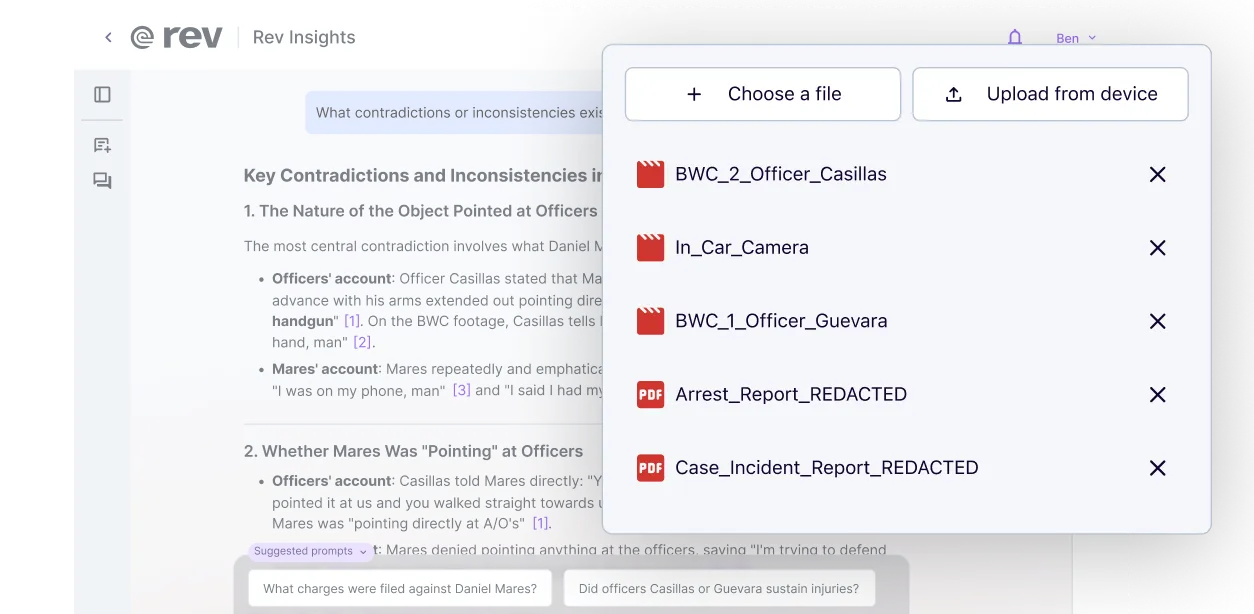
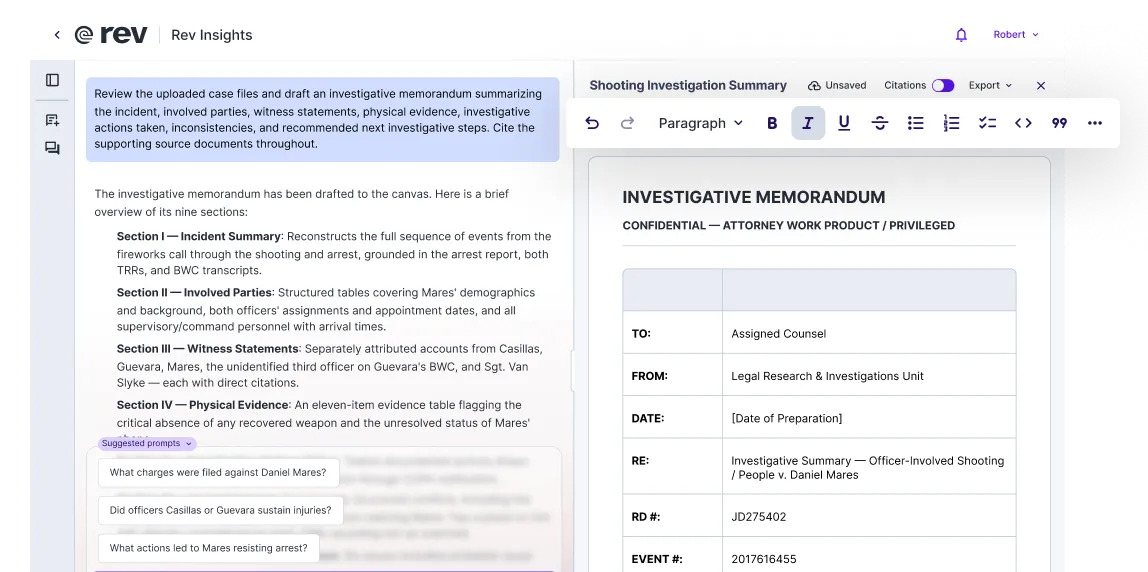
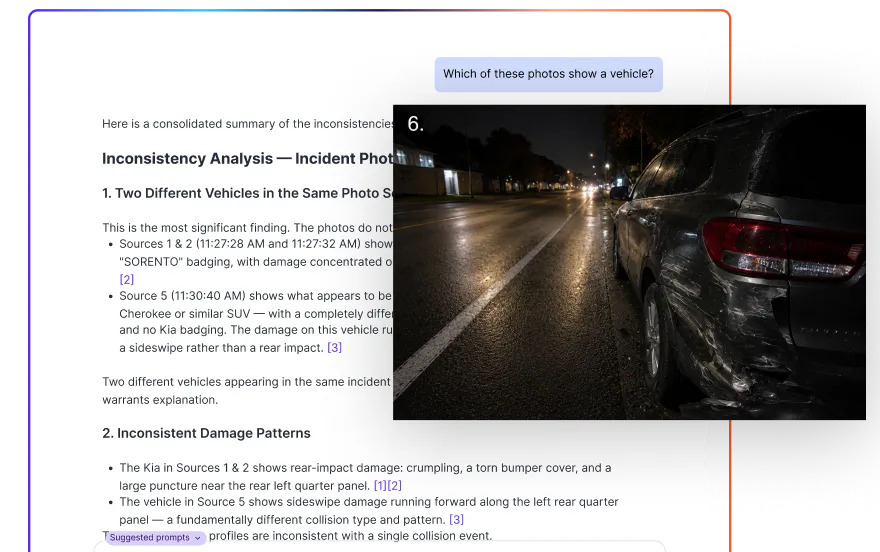
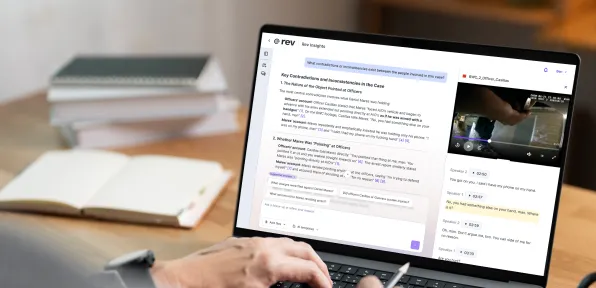
Upload and analyze any combination of audio files, video recordings, PDFs, and text files in one AI-powered workspace. Whether it's witness interviews, body cam footage, police reports, medical records, or case transcripts—analyze them all together to spot contradictions across multiple sources, surface case-defining insights, and build stronger arguments faster. Ask questions about all your case evidence and get precise citations.

Try Multi-File Insights
For Basic, Pro and Enterprise Plans
Dashboard showing multi-file insights with stacked bar charts, file list, and activity timeline for analytics

AI Prompts

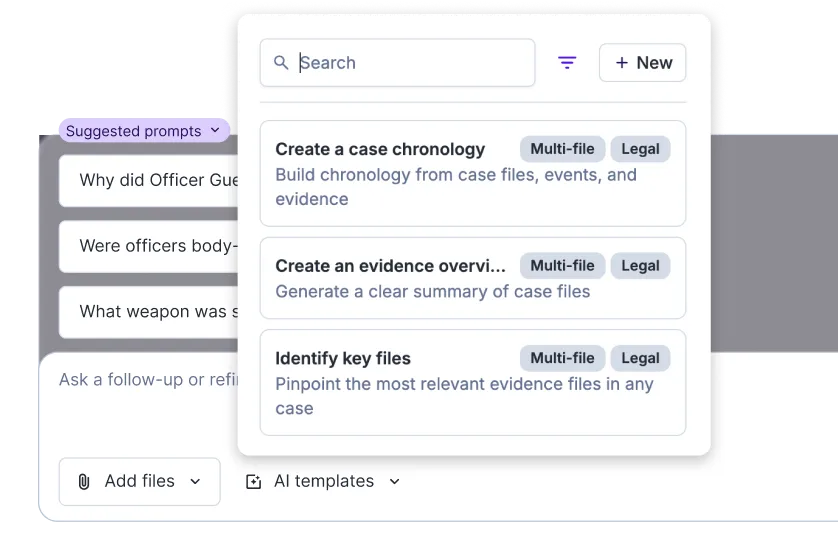
Purpose-built AI prompts transform repetitive tasks into automated workflows. From meeting summaries to interview analysis, our templates extract key quotes, important facts, and critical statements from your transcripts. Choose industry-specific templates or build custom templates tailored to your needs with an enterprise account.

Learn How To Use AI Prompts
For Basic, Pro, and Enterprise Plans
Colorful grid of AI prompt cards with icons and short sample prompts for creative idea generation

AI Assistant

Use our AI Transcript Assistant to ask specific questions of your transcripts. Use the chat to ask for exactly the information you need and get back accurate, time-stamped answers.

See the AI Transcript Assistant In Action
For Basic, Pro and Enterprise Plans
AI assistant icon showing a smiling robot face with headset inside glowing chat bubble, blue tones

Customizable AI Prompts

Personalize and save AI prompts for your own workflows. With prompts that fit your ways of working and automate routine tasks, you’ll start saving even more time.  

Learn to Make Templates
For Basic, Pro, and Enterprise Plans
Screenshot showing a web interface for customizable AI prompts with editable prompt fields and example output panels
Dashboard showing multi-file insights with stacked bar charts, file list, and activity timeline for analytics
Colorful grid of AI prompt cards with icons and short sample prompts for creative idea generation
AI assistant icon showing a smiling robot face with headset inside glowing chat bubble, blue tones
Screenshot showing a web interface for customizable AI prompts with editable prompt fields and example output panels
Collaborate with your team

Editing

Clip Sharing

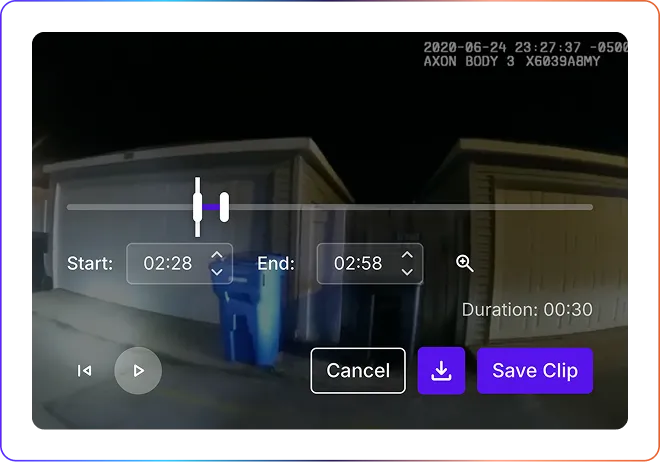
Easily clip, download, and share important moments from witness interviews, insightful moments in meetings, and key moments in focus groups. Clips bundle timestamps, audio, video, and transcripts together so you never miss a detail.

Learn How to Share Clips
For Basic, Pro, and Enterprise Plans
Person on laptop at coffee shop counter, sharing a video clip on a smartphone to nearby friends

Interactive Editor

Transcript read-along features, editing shortcuts, clip sharing, bookmarks, and version histories make editing a breeze. 

Learn How to Use Transcription Editor
For Basic, Pro and Enterprise Plans
Screenshot of an interactive web editor showing a draggable sidebar, page canvas with text blocks, and style controls on the right

Secure Transcript Sharing

Share transcripts and summaries, collaborate on comments, and easily edit with your team.

Lock icon beside a document and arrows indicating secure transcript sharing between users and institutions
Person on laptop at coffee shop counter, sharing a video clip on a smartphone to nearby friends
Screenshot of an interactive web editor showing a draggable sidebar, page canvas with text blocks, and style controls on the right
Lock icon beside a document and arrows indicating secure transcript sharing between users and institutions
Keep files secure and manage who can view, edit, import, and export files.

Controls & Permissions 

Security & Data Control 

Zero third-party data training, plus best-in-class privacy measures including SOC 2 Type II, HIPAA compliance, and CJIS certification to keep your data safe.

Find Out More About Rev’s Security
For Basic, Pro, and Enterprise Plans
Security dashboard showing a shield icon, toggle switches, encryption lock, and data flow controls for user privacy

Single Sign On

No matter the size of your enterprise organization, Rev offers SSO, so your team can seamlessly and securely get to work. 

Learn More about SSO
For Enterprise Plans
Single sign-on login screen showing company email field, SSO button, and security icon on form

Domain Claiming

Manage your team with domain claiming that allows you to identify and manage existing accounts and approvals and block unauthorized registrations. 

Person clicking a highlighted domain name in a dashboard list to claim ownership for a website domain
Security dashboard showing a shield icon, toggle switches, encryption lock, and data flow controls for user privacy
Single sign-on login screen showing company email field, SSO button, and security icon on form
Person clicking a highlighted domain name in a dashboard list to claim ownership for a website domain

Find The Right Pricing Plan For You

Subscribe to Rev’s all-in-one platform for accurate transcription, AI Notetaker, AI summaries, and easy editing and collaboration. 

Free

Limited access. Need more features? Try Basic or Pro today.
Features:
45 minutes of AI transcription per month6x more! Get 300 minutes now – offer ends soon!
Access to pay-per-minute 99% accurate human transcripts, captions, and subtitles
AI Notetaker for Google, Teams, and Zoom
Rev Mobile App for recording and editing on the go
Interactive transcript editor

Basic

Built for productivity in individuals and small teams.
$14.99 per seat/month
Get Started
Features
20 hours of AI transcription per month; 90 minutes per recording
3% discount on 99% accurate human transcripts, caption, and subtitlesUpgrade to human transcripts or captions for $1.93/min (reg price $1.99) or global subtitles for $6.30 to $15.51 (reg price $6.49 to $15.99)
3% discount on 99% accurate human transcripts, captions, and subtitles ACCESS AFTER FREE TRIAL Upgrade to human transcripts or captions for $1.93/min (reg price $1.99) or global subtitles for $6.30 to $15.51 (reg price $6.49 to $15.99) Only Available after 30-Day Free Trial
AI Notetaker for Google, Teams, and Zoom
Rev Mobile App for recording and editing on the go
Interactive transcript editor
Unlimited use of AI Assistant & AI Prompts
30-Day Free Trial
Most popular

Enterprise

Built for organizations needing security, management, and customized features.
Features
100 hours of AI transcription per month; no limit on file length
AI captions in 37+ languages included in 100 monthly hours
Custom discounts on 99% accurate human transcripts, captions, and subtitles
AI Notetaker for Google, Teams, and Zoom
Rev Mobile App for recording and editing on the go
Interactive transcript editor
Unlimited use of AI Assistant & AI Prompts
Interactive captions editor
Unlimited customizable AI templates tailored just for you
Enterprise-grade privacy; HIPAA and SOC 2 Type II compliance
SSO & Domain Claiming
Free
Limited access. Need more features? Try Basic or Pro today.
Free
Billed annually
Limited Free Access
Features:
45 minutes of AI transcription per month6x more! Get 300 minutes now – offer ends soon!
Access to pay-per-minute 99% accurate human transcripts, captions, and subtitles
AI Notetaker for Google, Teams, and Zoom
Rev Mobile App for recording and editing on the go
Interactive transcript editor
Basic
Built for productivity in individuals and small teams.
$9.99 per seat/month
$179.88 $119.88 billed annually Save 33%
Get Started
Features:
20 hours of AI transcription per month; 90 minutes per recording
15% discount on 99% accurate human transcripts Upgrade to human transcripts or captions for $1.70/min (regular price $1.99) or global subtitles for $5.52 to $13.59 (reg price $6.49 to $15.99)
15% discount on 99% accurate human transcripts
ACCESS AFTER FREE TRIAL Upgrade to human transcripts or captions for $1.70/min (regular price $1.99) or global subtitles for $5.52 to $13.59 (reg price $6.49 to $15.99) Only Available after 30-Day Free Trial
AI Notetaker for Google, Teams, and Zoom
Rev Mobile App for recording and editing on the go
Interactive transcript editor
Unlimited use of AI Assistant & AI Prompts
30-Day Free Trial
Most popular
Enterprise
Built for organizations needing security, management, and customized features.
Custom
Billed annually
Request a Demo
Features
100 hours of AI transcription per month; no limit on file length
AI captions in 37+ languages included in 100 monthly hours
Custom discounts on 99% accurate human transcripts, captions, and subtitles
AI Notetaker for Google, Teams, and Zoom
Rev Mobile App for recording and editing on the go
Interactive transcript editor
Unlimited use of AI Assistant & AI Prompts
Interactive captions editor
Unlimited customizable AI prompts tailored just for you
Enterprise-grade privacy; HIPAA and SOC 2 Type II compliance
SSO & Domain Claiming